Business Page Manager Redesign
Web Design / Google Maps
Role:
UX Designer
Program:
Figma
Date:
March-May 2022
(3 months)
The Situation
Many people use Google to find local businesses around them, but some business owners don’t understand how the platform can help them get new customers.
For marketers managing multiple Google Business pages, the Google Business Page Manager can be improved to make marketing easier.
Empathizing with the Users
I created two user personas to help empathize with business and marketers who use Google Maps for marketing. The personas I created are the Small Business Owner and the Digital Marketer.
The Small Business Owner

Name: Adam
Age: 40
Device(s) owned: Google Smartphone
Adam is the owner of a local fruit & vegetable shop who heard from a friend that he can get new customers with Google marketing. He doesn’t use Google Maps often, so he doesn’t really know how it can help him market his business.
He wants to be able to take photos of his products, easily change business information, and respond to reviews in a way that doesn’t affect his workflow during business hours.
He reaches out to Sho, a local online Marketer who specializes in Google marketing, for help.
The Digital Marketer

Name: Sho
Age: 31
Device(s) owned: Google Smartphone, Laptop PC
Sho is a local marketer who provides Google optimization and marketing services for small and medium-sized businesses. He started managing the Google maps page for a supermarket he used to work at, and now manages over a dozen Google Business pages for businesses in his area.
His past clients appreciate him because he is tech savvy and good at explaining Google and digital marketing to them.
What I learned from marketing for small businesses
After managing Google Business pages, I learned that some businesses:
- Believe that adding new products is how their business will grow
- Are frustrated because they don’t know if their Google Business page is effective in generating new customers
- Believe it’s too difficult to temporarily close their business on Google when they need to close during business hours
- Believe that adding and deleting photos from a Google Business page is easy once they are taught how
- Don’t feel the need to reply to customer reviews, even after being taught the value of doing so
- Find it difficult to generate reviews from customers because of a lack of knowledge on how to do so while the customer is at location
Improvement ideas for the Google Business page
After managing Google Business pages, I learned that some businesses:
- Business owners would rather have an option to mark “Be right back” on their Google Business page, similar to the handwritten sign placed on entrance window.
- Are frustrated because they don’t know if their Google Business page is effective in generating new customers
- The two links to ask for reviews and to go to the Google Business Home Page are located far from each other in the Google UI.
- Can’t take notes to attach to a specific business within the Google Business Page manager.
- In Analytics, data points that are not active are shown in the same style as active data points which creates confusion.
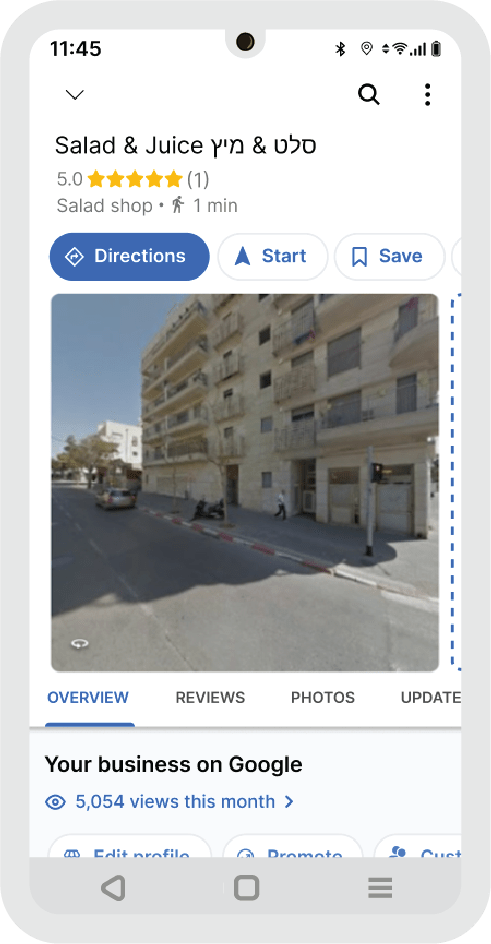
Now I will take you through the redesigned Mobile app that address some of the pain points mentioned above.
Redesigned Mobile View
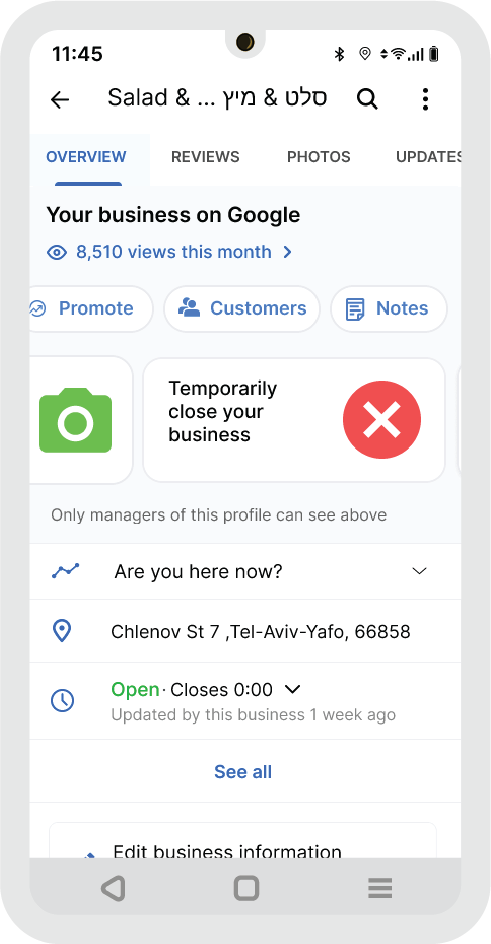
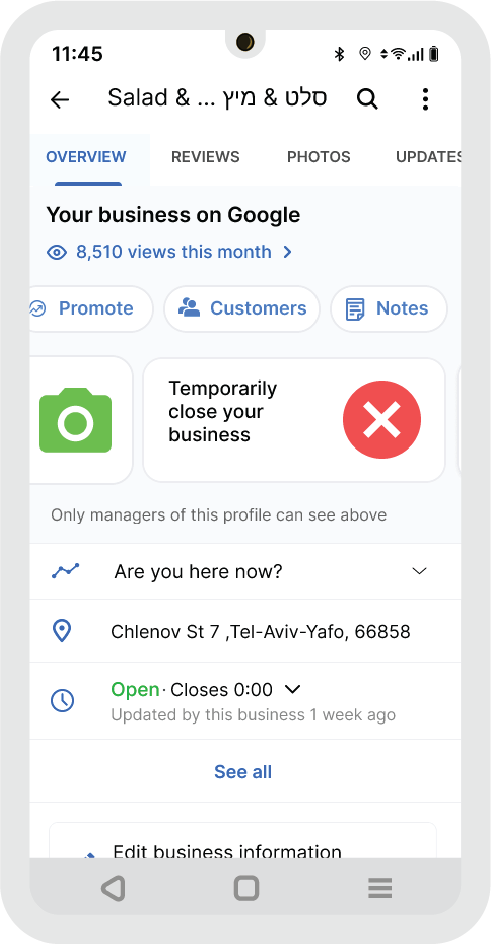
Overview Screen
Below, a Business owner can see a ‘Temporarily close your business” button, which they can select to let customers know the business is temporarily closed.
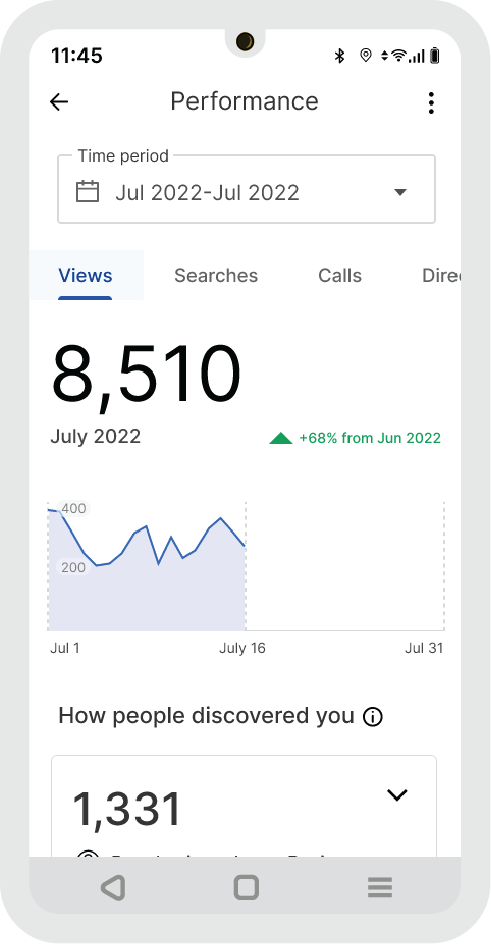
Analytics Screen
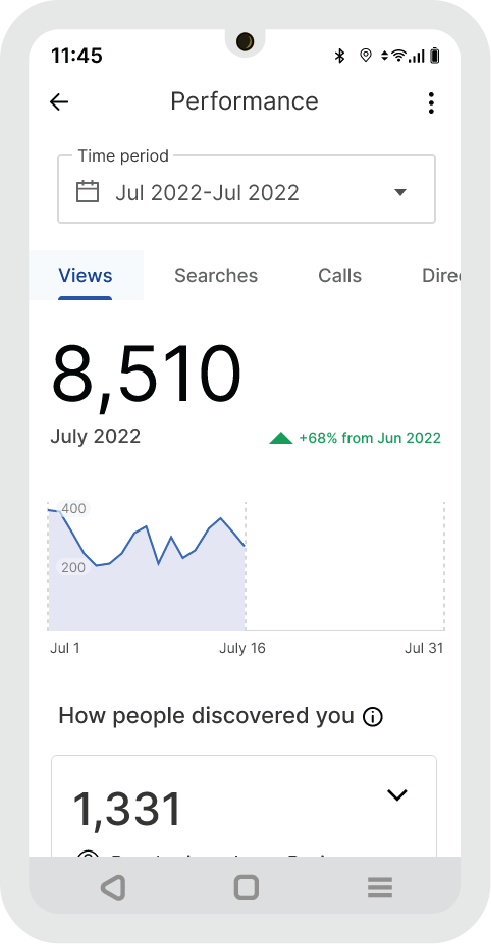
Here, the Analytics screen for a Business Owner and Marketer is redesigned so only active data points are visible.
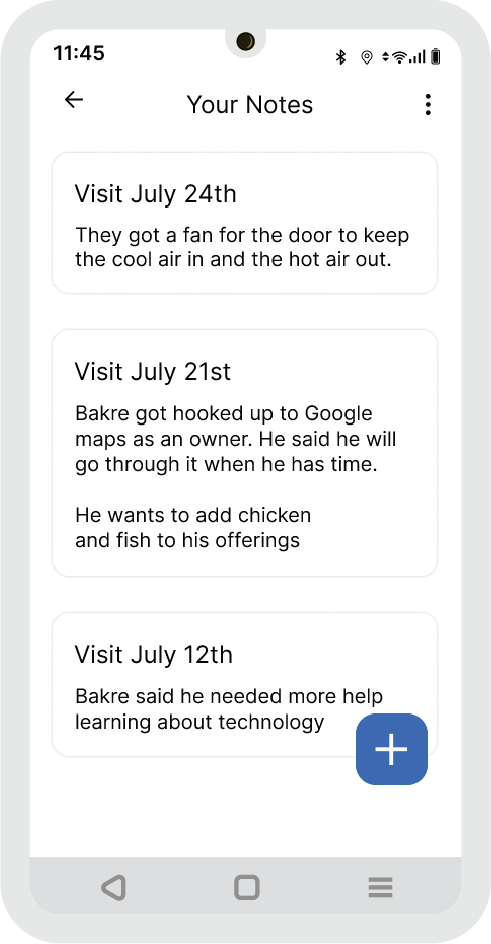
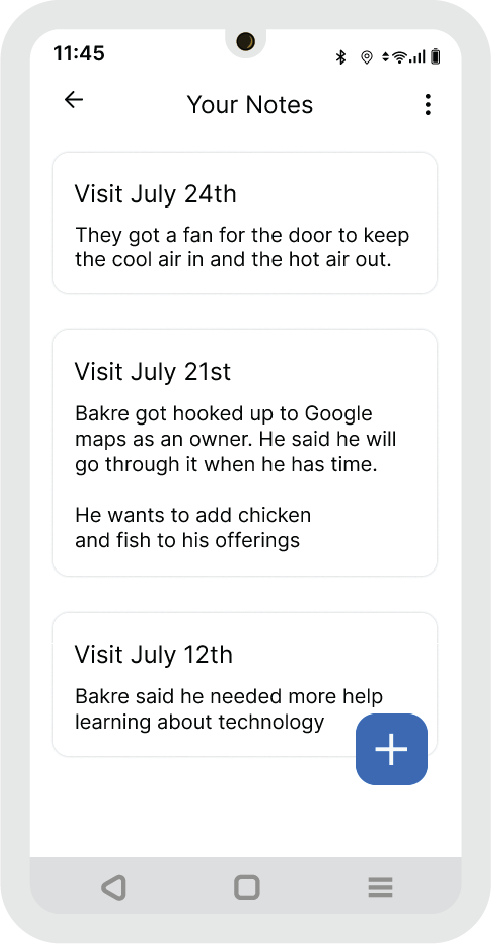
Notes Screen
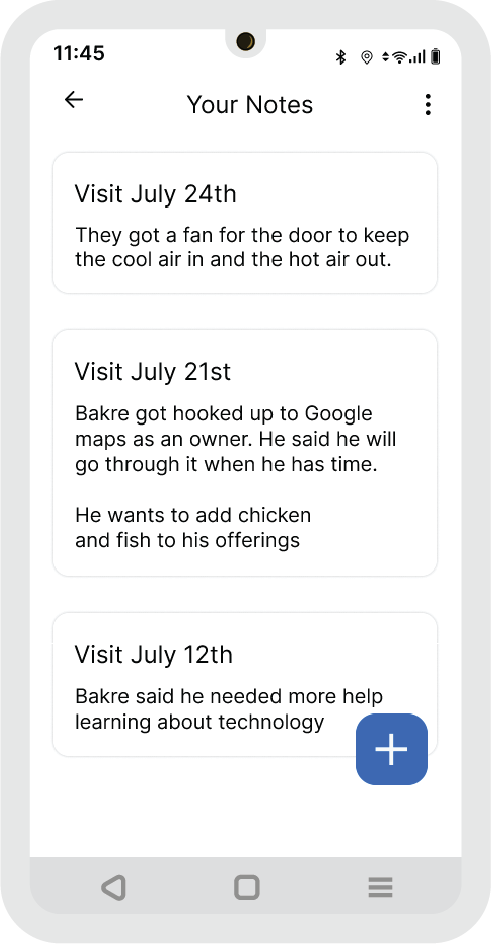
The Notes screen will be helpful for marketers who don’t want to have to remember details about each business they market for.
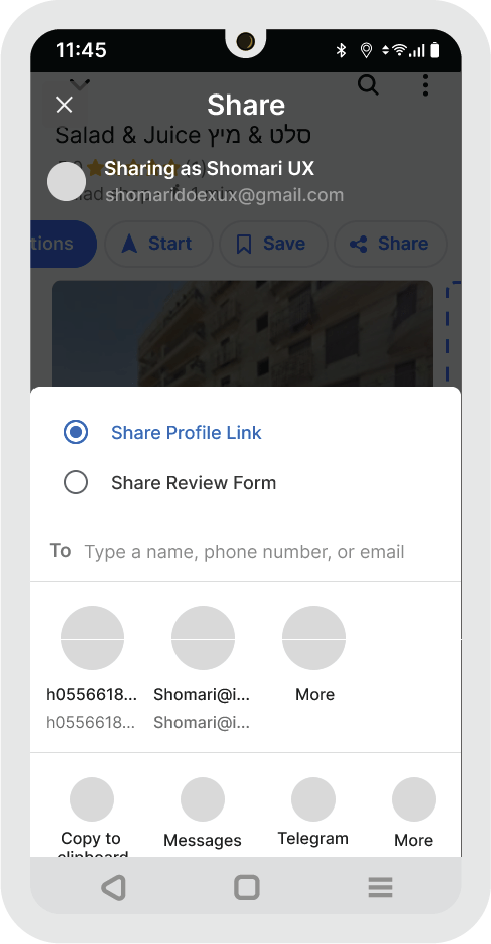
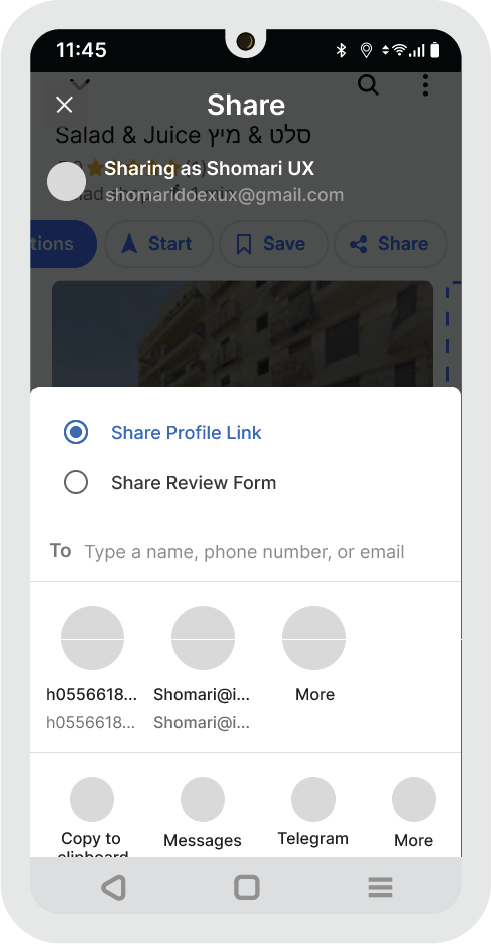
Share Screen
The Share screen with the added option to share Review Form along with the Profile Link makes it easier for business owners to share the review form with customers.
Redesigned Desktop View
Navigation
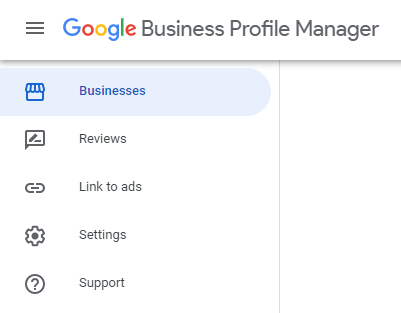
Below are the current and redesigned navigations for the Google Business Profile Manager. The redesign separates the nav into upper and lower sections to allow Marketers to focus on Business actions with the other screens (Settings, Support) out of the way.
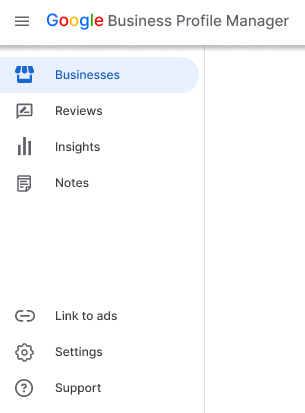
Additions to the navigation above include Insights and Notes, which I believe makes it easier for marketers to market more effectively.
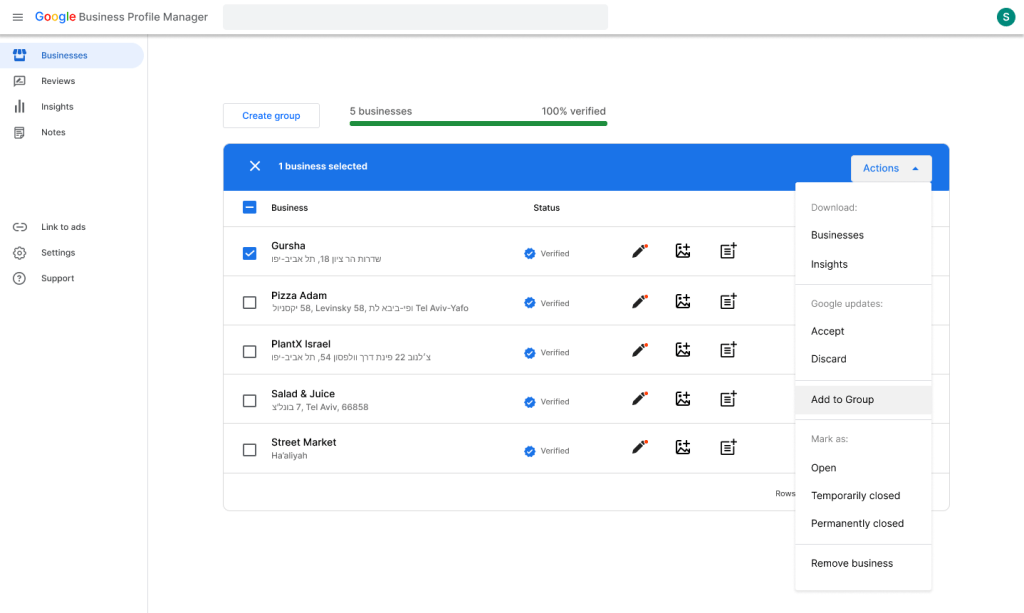
Businesses Screen
The Businesses screen shows an overview of their business, and was kept the same save for the new labeling “Add to Group” which a user would click to add a business to a Group they’ve created.
The previous labeling was “Transfer business”.
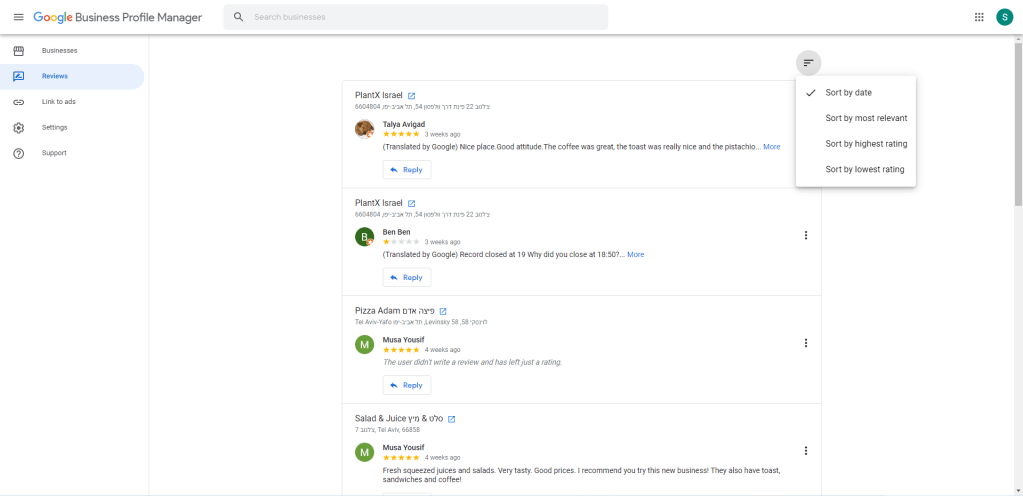
Reviews Screen
The Reviews Screen is where Marketers can go to reply to Reviews. It’s more geared towards Marketers, but can also be for Business Owners who have multiple locations.
Insights Screen (Desktop and Mobile)
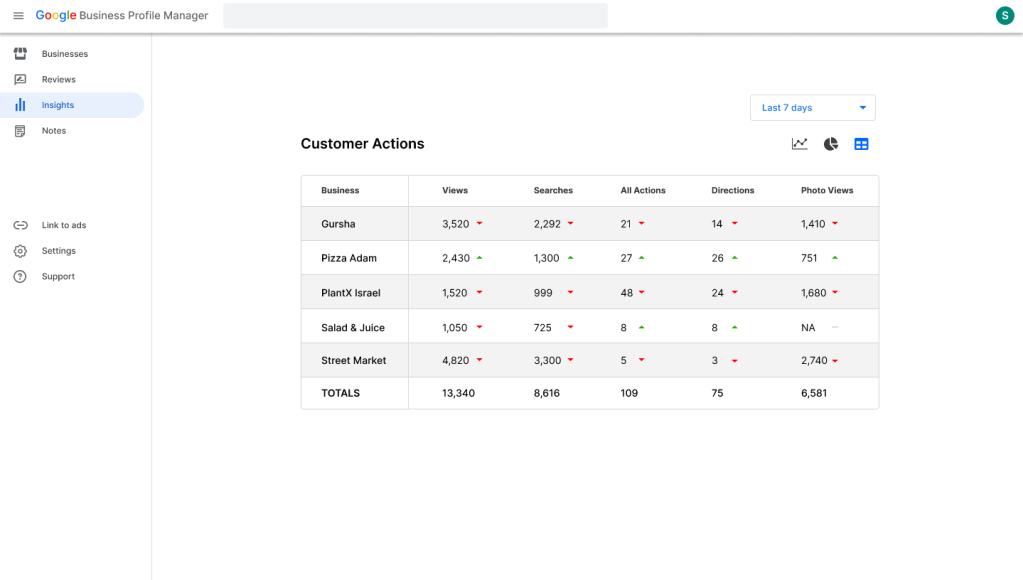
The Insights screen on Desktop has a sortable chart detailing key Insights of each business. There are line and pie charts, and a sortable data table.
On both desktop and mobile, users only see the statistics the business has active data points for. In the current design, users see all possible business data, even for customer actions not relevant to the business.
Notes Screen (Desktop and Mobile)
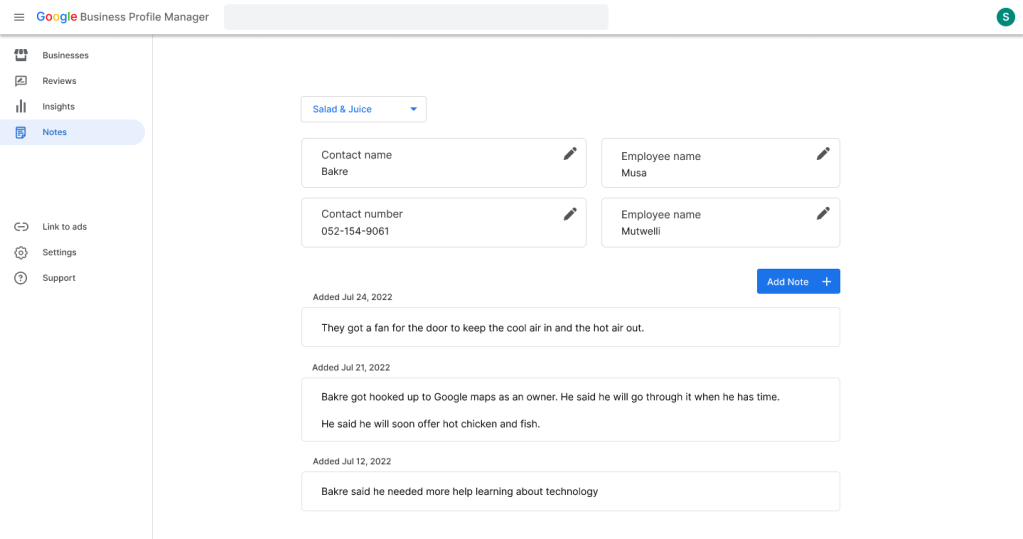
The Notes screen on Desktop and Mobile allow Marketers to take notes on the different businesses they manage.
Next Steps
- Conduct usability studies for the prototype redesign with business owners, and improve the design based on feedback
- Ask business owners if they want to learn more about Google marketing
- Send my case study to the product team(s) at Google working on Maps, with the hopes that they consider my design improvement suggestions
Thanks for viewing my UX redesign!
My experience redesigning Google Maps helped me market for local businesses. View my local marketing case studies here.
 Shomari Barber