
Why Optimizing your Business Information on Google is Important
People searching on Google Maps are looking for businesses around them.
Prospective customers who don’t know your business have many questions that if answered, will increase the chance that they try your business.
What year did you start business? What products do you offer? What hours and days are you open? These are just some of the questions potential customers have that your Google Maps page can answer. The more customer questions you can answer, the more new customers you will get.
Are you the owner of your Google page?
If you’re the owner of your Google Maps page, optimizing your business information is relatively simple.
If you haven’t claimed ownership of your Google Maps page, you need to do so in order to update business information. See my previous blog post on how to claim ownership of an existing Google Maps page.
If you need to create a Google Maps page for your business, check out my blog post to learn how.
Basic Business Information to add to Google Maps
The basic information needed to create a Google Maps business page:
- Google Business Name
- Business Category
- Business Address
- Location Pin
Google Business Name
This name should be consistent with physical signage at your business as well as the name on your social media profiles. See Business Name guidelines from Google here.
Primary Business Category
Your Business Category should best describe your business. If you are a French Restaurant, use the French Restaurant category. If you primarily sell cookies, you should use the Cookie Shop category. See Business Category guidelines from Google here.
Additional Business Categories
You can add up to 9 additional business categories, which won’t show on your profile but will help you rank your Google Maps page in search results. If you are a cookie shop and you also sell coffee, you should add the additional categories of Cafe and Coffee Shop to your Google Maps page.
More Business Information to add to Google Maps
- Business Phone Number (optional)
- Open Business Hours
- Special Hours (Delivery, Breakfast, Happy Hours)
- Business Description/Summary
- Opening Date
Links to add to Google Maps
- Website
- Social Media Profiles
- Delivery Providers
If you provide deliveries or services, you can add specific areas you serve.
Attributes to add to Google Maps
- Accessibility (i.e. Wheelchair accessible)
- Amenities (Toilets, Wifi, Outdoor Seating)
- Crowd (LGBTQ+ Friendly, Family-Friendly, Good for Kids)
- Emergency Help (Employs Displaced Individuals, Needs volunteers, Offers free products or services)
- Offerings (Organic products, prepared food, salad bar)
- Payments (Cash only, Debit cards, Credit Cards, NFC Mobile Payment)
- Planning (Appointment required)
- Women-Owned, Black-Owned
- Recycling (Organic products, prepared food, salad bar)
- Service (Organic products, prepared food, salad bar)
How to Add/Edit Information on your Google Maps page
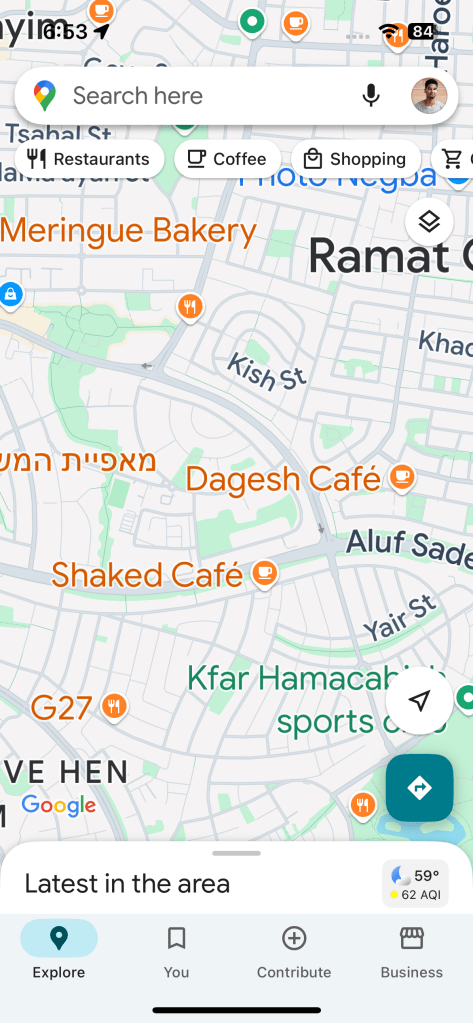
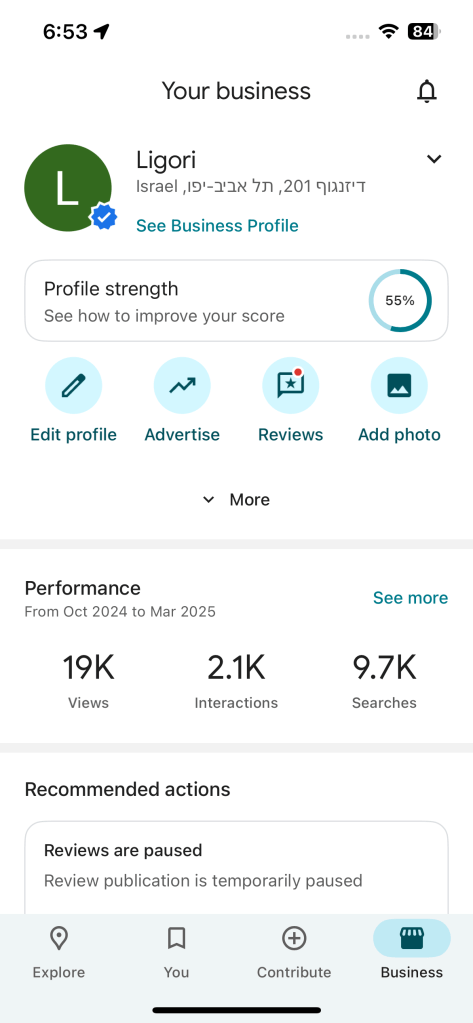
From the Google Maps app on your Phone
Open the Google Maps app, check that you’re signed into the Google profile that manages your Google Maps page, tap the Business button at the bottom right of your screen, and then tap Edit profile.
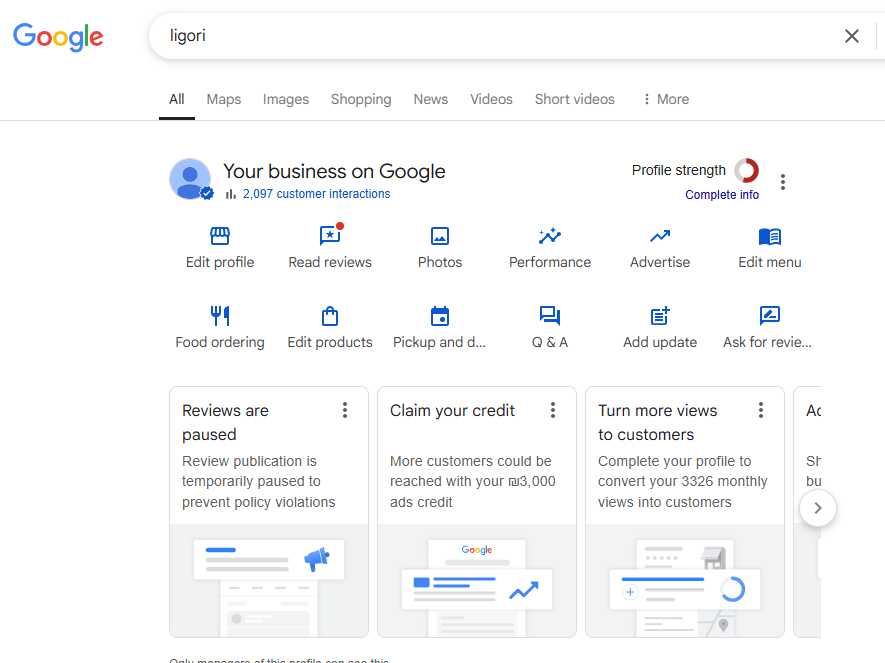
From Google Search on your Phone or from a Laptop/Computer
When signed into the Google profile that manages your Google Maps page, search for your business name, and click the Edit profile button.
I hope this blog post helped explain how to optimize local business information on your Google Maps page.
If you would like help getting new customers on Google Maps, you can contact me here.
 Shomari Barber